
PulseGuard AI
Detect business risks before they become crises
The Organizational Early Warning System
An operational risk intelligence assistant that lives inside Slack. It analyzes the operational data you provide, correlates signals across it, and helps your team catch emerging risks earlier.

What is PulseGuard AI?
PulseGuard is an operational risk intelligence assistant that lives inside Slack. It analyzes the operational data you bring to it and helps surface risks that are easy to miss — the kind of problems hiding in plain sight across disconnected signals that no one is tracking together.
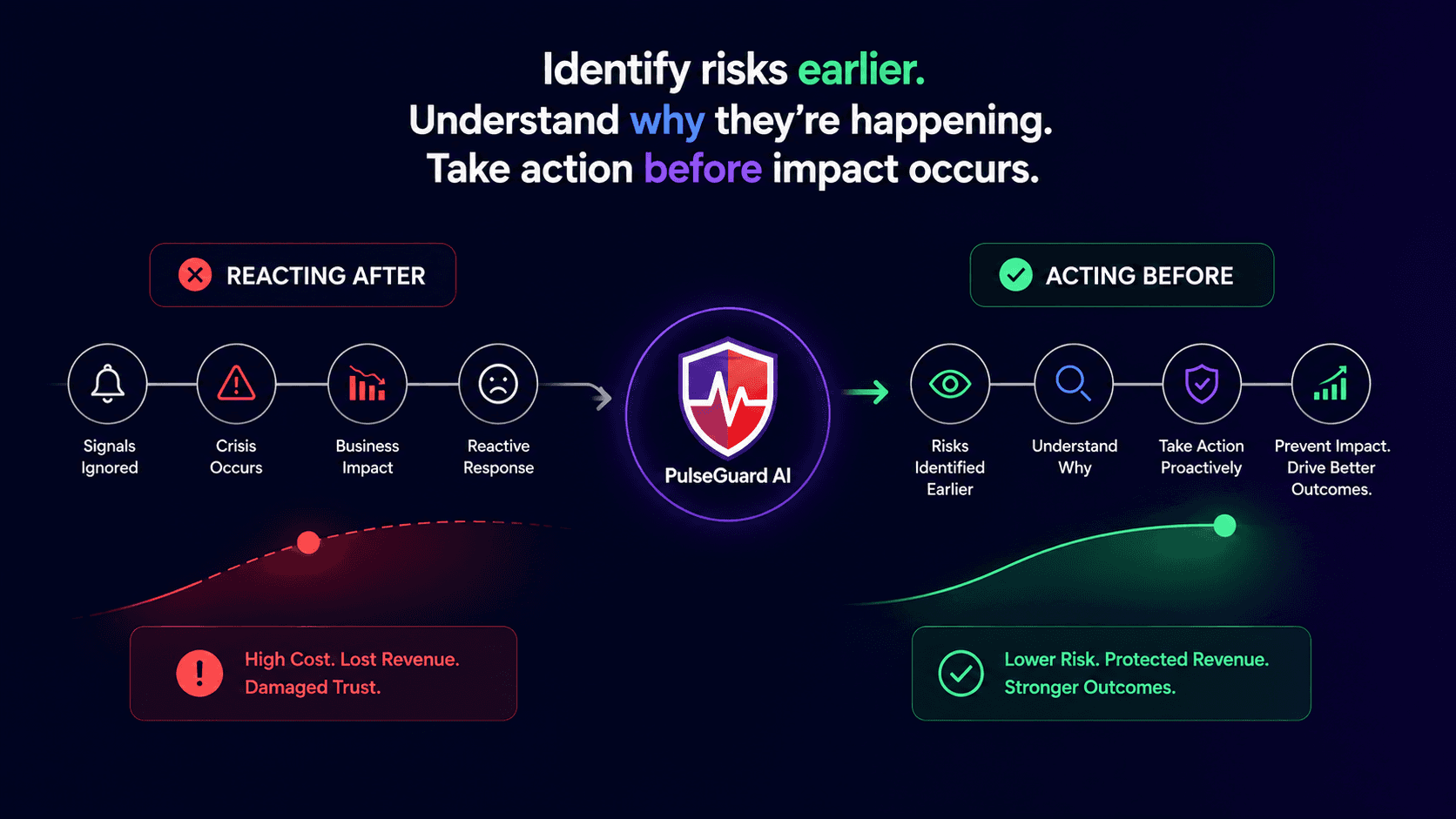
Most tools help you understand what already went wrong. PulseGuard is built to help you spot what may be emerging.
The problem it solves
Operational crises rarely appear out of nowhere. They build up over weeks, leaving a trail of small signals across different systems — a vendor's response times slipping, complaints clustering in one region, cancellations ticking up, an important client going quiet. Each signal looks minor on its own. By the time someone connects the dots, the damage is done.
The issue isn't a lack of data. It's that those signals live in different places and rarely get correlated together. That's what PulseGuard is built to help with.
How it works
1.Risk detection
PulseGuard runs a deterministic risk engine across the operational data you provide — support tickets, reviews, vendor performance, bookings, customer and partner signals. It uses statistical analysis to flag spikes, negative trends, and threshold breaches, then correlates signals across sources to surface patterns a single view might miss.
2.AI investigation
When a risk is flagged, PulseGuard uses AI to investigate it. It queries the underlying data, weighs the evidence, considers competing explanations, and suggests the most likely root cause — with a confidence score and a clear reasoning trail.
3.Delivered in Slack
The findings arrive as a clean, readable brief directly in Slack. No new dashboard to check, no report to run. You see what the data suggests is happening, why, and what it could mean — in plain language.
4.Recommendations, with your approval
PulseGuard suggests specific next steps with expected impact and timelines. It does not act on its own — high-impact recommendations are flagged for a human to review and approve. The AI advises; you decide.
What you can do with it
Use simple slash commands, anywhere in Slack:
/executive-summaryA full intelligence brief of every active risk, ranked by priority
/risk-reportAll detected risks with severity and confidence scores
/why-riskA deep root-cause analysis for any specific risk
/recommend-actionSuggested next steps with a forecast; high-impact suggestions ask for human approval
/pulseA quick health check on demand
/pulseguard-loadBring your own operational data into PulseGuard by pasting it in Slack
/pulseguard-dataView and manage the operational data connected to PulseGuard
An illustrative demonstration
In our demonstration dataset, PulseGuard surfaced that one maintenance vendor's performance had quietly declined in Southern Spain. On its own, that looked like a minor operational blip. PulseGuard correlated it with a cluster of guest complaints, a rise in cancellations totaling €234,000 in refunds in the scenario, and the risk of losing a property owner worth €890,000 a year.
In the demonstration, it surfaced the connected picture — likely root cause, estimated business impact, and a recommended fix — well before the signals had been escalated.
This is an illustrative example built on sample data to show how PulseGuard correlates signals. It is not a guarantee of specific results, savings, or detection timelines — outcomes depend on the data you provide.
Why it's different
Proactive, not reactive
It helps you catch emerging risk patterns earlier, before they escalate.
Explains itself
Every finding comes with the supporting evidence, reasoning, and a confidence score.
Lives where you work
No new tool to learn — it's just Slack.
Human-in-the-loop
AI recommends; people review and approve high-impact recommendations.
Extensible
Exposes an MCP server so other AI tools can tap into its intelligence.
Plans
Free
10 AI operations / month
Pro
200 AI operations / month
Business
1,000 AI operations / month
How to install
- 1Click the “Add to Slack” button below and sign in to your Slack workspace.
- 2Review the requested permissions and approve the installation.
- 3Invite PulseGuard to the channels where you want it to post findings.
- 4Load your data with /pulseguard-load, or explore the built-in sample dataset, then run /executive-summary for your first brief.
Ready to catch risks early?
Add PulseGuard AI to your Slack workspace, load your data or try the sample dataset, and help your team catch emerging risks earlier.